

ChatGPT for Seniors: 30 Easy Prompts to Tell Your Story
ChatGPT is easiest after 60 when you talk to it instead of typing and give it one clear job at a time. These 30 prompts cover your stories, letters to the grandchildren and staying safe. Rather just talk? Afterlife.ai™ asks the questions and keeps your stories in your own voice.
As seen in












You don't need to learn ChatGPT the way a teenager does. You need about five minutes of setup and a handful of good things to say to it. ChatGPT is free to start, it understands plain English, and you can talk to it out loud instead of typing. Only 10% of Americans 65 and older had used it by early 2025, against 58% of adults under 30 (Pew Research Center, 2025), so if you are starting now, you are starting with most of your friends.
What it's good at:
asking questions, tidying up your words, explaining letters and forms, and writing a first draft you can fix.
What it's bad at:
knowing your life. It only knows what you tell it, and it can state a wrong fact with confidence.
What it costs:
nothing to start. Every prompt on this page works on ChatGPT's free plan.
What never to type:
passwords, bank or card numbers, your Social Security number, or anything you would mind a stranger reading.
How do seniors start using ChatGPT?
Five minutes is enough. Do these once, ideally with a grandchild or friend beside you, and you never need to do them again. Settings and menus vary a little by phone, computer and plan, so look for the same words if yours sits in a different place.
Get the right app:
download ChatGPT from the App Store or Google Play, or go to chatgpt.com on a computer. Check that the maker is OpenAI, because copycat apps exist.
Sign in:
use your email address, or your Google or Apple account if you already have one.
Make the words bigger:
on a phone, raise the text size in your phone's own settings. On a computer, hold Ctrl (Cmd on a Mac) and press the plus key.
Talk instead of typing:
tap the voice button beside the message box and speak. ChatGPT answers out loud.
Keep your stories out of training:
in Settings, then Data controls, switch off "Improve the model for everyone" (OpenAI Help Center, 2026).
Keep your story in one place:
if your account shows Projects in the sidebar, create one called "My life story" so your chats stay together.
What should seniors ask ChatGPT first?
Ask it to interview you. This is the single most useful thing ChatGPT does for anyone with a long life behind them, because it asks the next question so you don't have to plan. Say each prompt out loud or paste it in, one a day, and answer as if you were talking to a curious grandchild.
Start the interview:
"Interview me about my life, one question at a time. Wait for my answer, ask one follow-up, and never make anything up."
The house:
"Ask me about the house I grew up in, room by room."
My parents:
"Ask me what my mother and father were like as people, not only as parents."
My first job:
"Ask me about my first job and what I spent my first paycheck on."
How we met:
"Ask me how I met my wife, [Joan], and keep asking until you have the whole story."
The best year:
"Ask me which year of my life was the best one, and why."
The hard year:
"Ask me about the hardest year I've had, and let me stop when I want."
What I've learned:
"Ask me what I know now that I wish I had known at 25."
Write it up:
"Turn what I told you today into a short story in my own words. Don't add anything I didn't say."
Read it back:
"Read my story back to me so I can correct it."
For more questions, use our life story questions, and when you are ready for chapters, our ChatGPT prompts for writing your life story take you from answers to a book, and our plan for writing a book about your life with ChatGPT takes you all the way to a printed copy.
Christmas gift
The gift that talks back.
Give Mom, Dad, your grandparents or your kids their own Persona for a year. Their Persona asks the questions, they just talk, and every story is kept in their own voice.
Give it for US$149One payment, no subscription. We email you the code straight away, ready for Christmas morning.
How can ChatGPT help you write to your grandchildren?
Start from one memory, not from advice. A letter that begins "the day you were born, it snowed" gets read and kept; a letter of good advice gets skimmed. These six prompts keep ChatGPT to your words, and for a longer letter about what you believe, use our legacy letter prompts.
A letter from a memory:
"Help me write a letter to my granddaughter [Emma] about the day she was born. Use my words and keep it short."
What I want them to know:
"Ask me five questions about what I want my grandchildren to know about work, money and love, then turn my answers into a letter."
A birthday card:
"Help me write a birthday card for my grandson [Leo], who is turning 16. Make it sound like me, not like a greeting card."
A bedtime story:
"Turn the story of how I met their grandmother into a bedtime story a seven-year-old would like."
A letter for later:
"Help me write a letter for my grandson to open on his 18th birthday."
Check the tone:
"Read this letter and tell me if anything could hurt someone's feelings."
Can ChatGPT help with family photos and recipes?
Yes, and this is where family history gets saved. ChatGPT can look at a photo you upload, ask you who is in it and write the caption, and it can turn a recipe you know by heart into a card your family can follow. Every caption you write today saves a grandchild a guess later. To trace the family further back, our ChatGPT genealogy prompts help with the research.
Name the faces:
"Here is a photo from about 1965. Ask me who is in it and what was happening, then write a caption."
The back of the photo:
"Help me write a short note for the back of this photo so my family knows who everyone is."
A family recipe:
"Interview me about my [peach cobbler] recipe: the ingredients, the steps and who taught me. Then write it as a recipe card."
The story behind the dish:
"Ask me where this recipe came from and when we used to make it."
An old letter:
"Help me read this old letter from my father and type it up exactly as it was written."
The family tree:
"Help me list everyone in my family I can remember, with the town each one lived in."
How do you use ChatGPT safely?
Use it like a knowledgeable friend, not a bank teller. ChatGPT is very good at spotting the signs of a scam and explaining paperwork in plain words, and it should never see your passwords or account numbers. Check anything about your health or money with a professional before you act on it.
Check an email:
"Here is an email I got. Does it look like a scam? Tell me what to check before I click anything."
Check a phone call:
"Someone called saying my grandson is in trouble and needs money right away. What should I do?"
Explain a letter:
"Explain this letter from my insurance company in plain words."
Get ready for the doctor:
"Help me write a list of questions for my doctor about [my new blood pressure medicine]."
Write a complaint:
"Help me write a polite complaint to my phone company about a wrong bill."
Learn the gadget:
"Explain how to video-call my grandchildren on an iPad, step by step."
Spot a fake website:
"Here is the address of a website asking for my details. What should I check before I trust it?"
Plan a visit:
"Help me plan a three-day visit to my daughter in [Denver]: what to pack, what to book and a simple schedule."
Can you talk to ChatGPT instead of typing?
Yes, and for telling stories it is better. Tap the voice button, speak, and ChatGPT answers out loud; most people say in five minutes what would take an hour to type. Two things to know: ChatGPT Voice answers in preset voices such as Breeze and Juniper rather than your own, and OpenAI says Voice transcripts are not word-for-word records (OpenAI Help Center, 2026). If you want your family to hear your real voice, keep your own recording too, and read how to clone your voice for the next step.
ChatGPT or a Persona for your life story?
Use ChatGPT for writing, and a Persona for keeping. ChatGPT is a fine helper for letters, captions and first drafts. A Persona on Afterlife.ai™ is built for one job: keeping your stories in your own voice for the people you choose.
Question | ChatGPT | A Persona on Afterlife.ai™ |
|---|---|---|
Who asks the questions? | You say or type a prompt each time | Afterlife.ai™ asks you, out loud or in writing |
Whose voice? | Preset voices | Your own voice, cloned from your answers |
What is kept? | A memory summary that skips details | Every memory you add, 25 free |
Who can hear your stories? | Only you, under OpenAI's Terms of Use | Up to 5 Trusted Contacts free, after the Executor Lock™ |
Letters for later | You save them yourself | Kept messages that open on the date you choose |
Cost to start | Free plan | Free build, no card |
A gentle first week with ChatGPT
Fifteen minutes a day is plenty. Here is a first week that builds from setup to a finished story, one small step at a time. It is a suggested plan; skip a day whenever you like.
Monday:
set up the app, make the words bigger and switch off training.
Tuesday:
ask ChatGPT to explain one letter or email you received this week.
Wednesday:
try the voice button and ask it to interview you about the house you grew up in.
Thursday:
answer two more interview questions out loud.
Friday:
ask ChatGPT to write up Wednesday's and Thursday's answers in your own words, and correct it.
Saturday:
upload one old photo and write its caption together.
Sunday:
read your first story to someone you love.
How to tell your life story on Afterlife.ai™
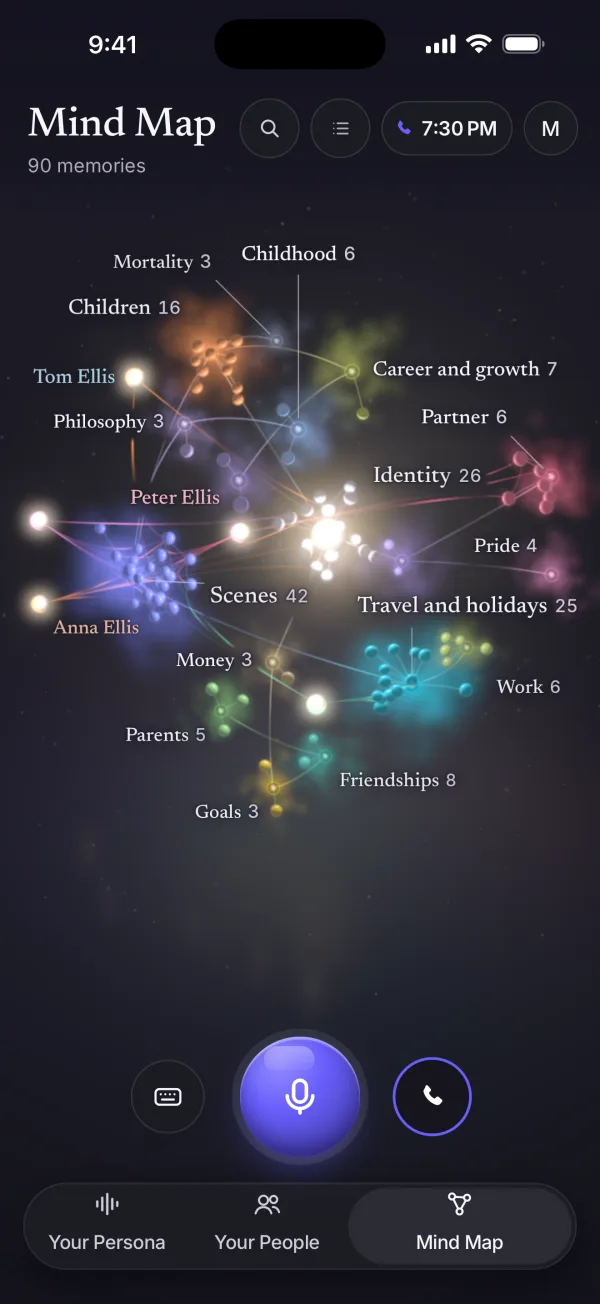
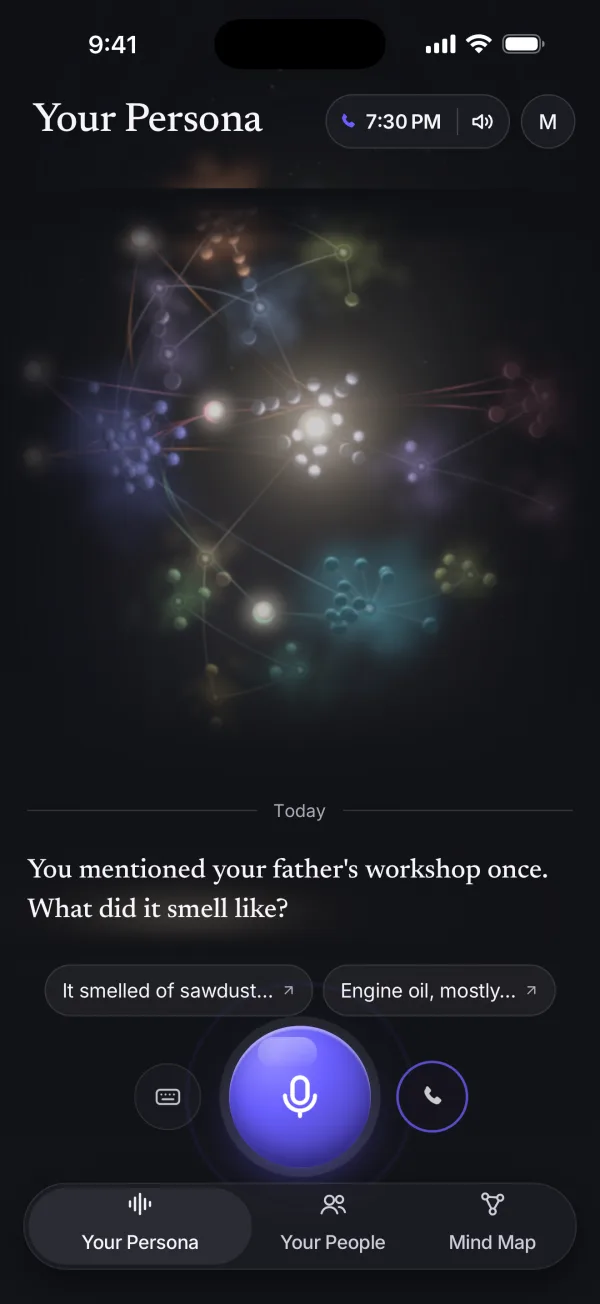
If typing is a chore, just talk. Afterlife.ai™ asks you the questions, one at a time and out loud if you like, keeps every story you tell, and builds a Persona that speaks in your own voice to the people you choose. Your children and grandchildren hear you, not a preset voice.
Sign up free:
at app.afterlife.ai or in the iPhone or Android app. No card, and the free build never expires.
Just talk:
choose "Just talk" and answer three questions out loud. Your voice is cloned from those answers.
A question every day:
each day the room opens on a new question, so you never stare at a blank page.
Every memory kept:
the free build keeps 25 memories. Legacy keeps going for US$14.99 a month.
Your people:
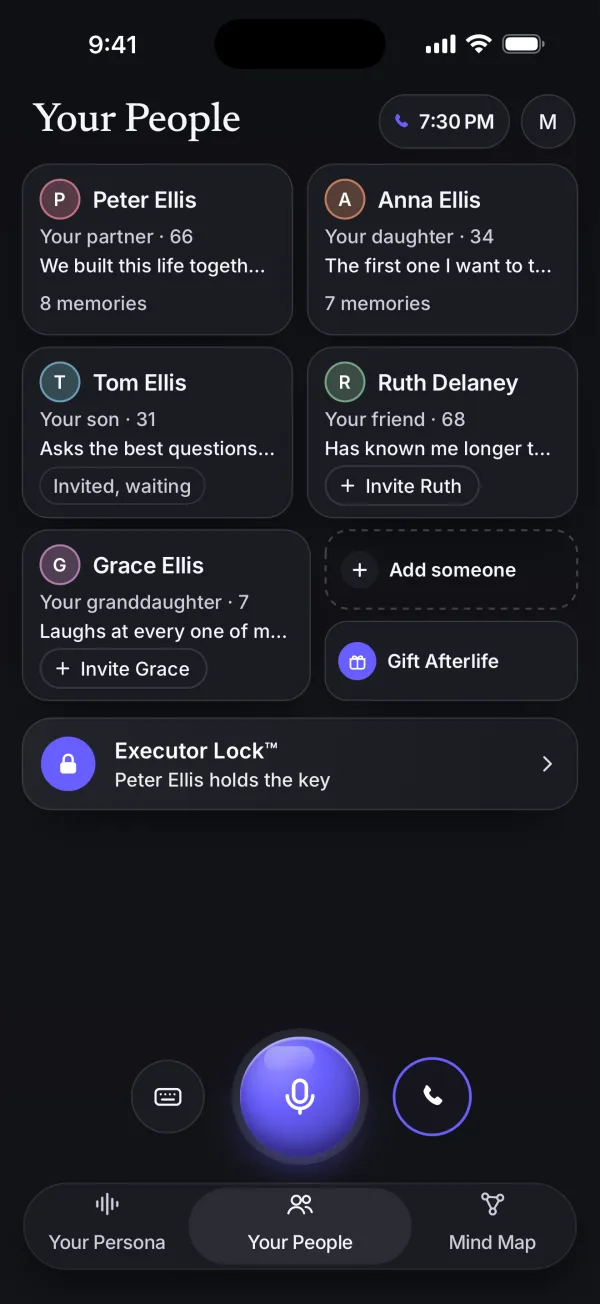
add up to 5 Trusted Contacts free, who can talk with your Persona after the Executor Lock™.
Letters for later:
keep a written or spoken message for a grandchild that opens on a date you choose, such as an 18th birthday.
Setting this up for a parent? Our ChatGPT prompts to interview your parents help you ask the questions. Sit beside them for the first session, then give them a year of Afterlife.ai™ as a gift so the stories keep flowing past the free 25 memories. The app's screens come in 42 languages, and the Persona answers in the language they speak.
Frequently asked questions
Is ChatGPT free for seniors?
Yes. ChatGPT has a free plan, and every prompt on this page works on it. Paid plans add more use of the newest features, but you do not need to pay to try anything here.
Is ChatGPT safe for older adults?
It is safe to use if you keep passwords, bank details and your Social Security number out of it, switch off "Improve the model for everyone" in Data controls, and check health or money answers with a professional. ChatGPT can sound sure and still be wrong.
Can I talk to ChatGPT instead of typing?
Yes. Tap the voice button beside the message box and speak; ChatGPT answers out loud. ChatGPT answers in preset voices, so to keep your own voice for your family, record yourself or build a Persona on Afterlife.ai™.
What is the easiest way for a senior to learn ChatGPT?
Ask ChatGPT to teach you. Say "Teach me how to use you, one small step at a time, and wait for me after each step," and it will.
How do I write my life story at 70 or 80?
Tell one story a week, out loud, and let something else ask the questions. ChatGPT can interview you with the prompts on this page, and Afterlife.ai™ asks you a new question every day and keeps your answers in your own voice.
Can my grandchildren hear my stories in my own voice?
Yes, with a Persona on Afterlife.ai™. Your voice is cloned from your own recordings, your Trusted Contacts can talk with your Persona after the Executor Lock™, and you can keep spoken messages that open on a date you choose.
Is Afterlife.ai™ free?
Yes. The free build gives you 25 memories, up to 5 Trusted Contacts and Executor Lock™ setup, with no card, and it never expires. Legacy is US$14.99 a month and Eternal is US$29.99 a month (see pricing).
Your story is worth keeping.